Coming to the App Store
Hear more.
Miss less.
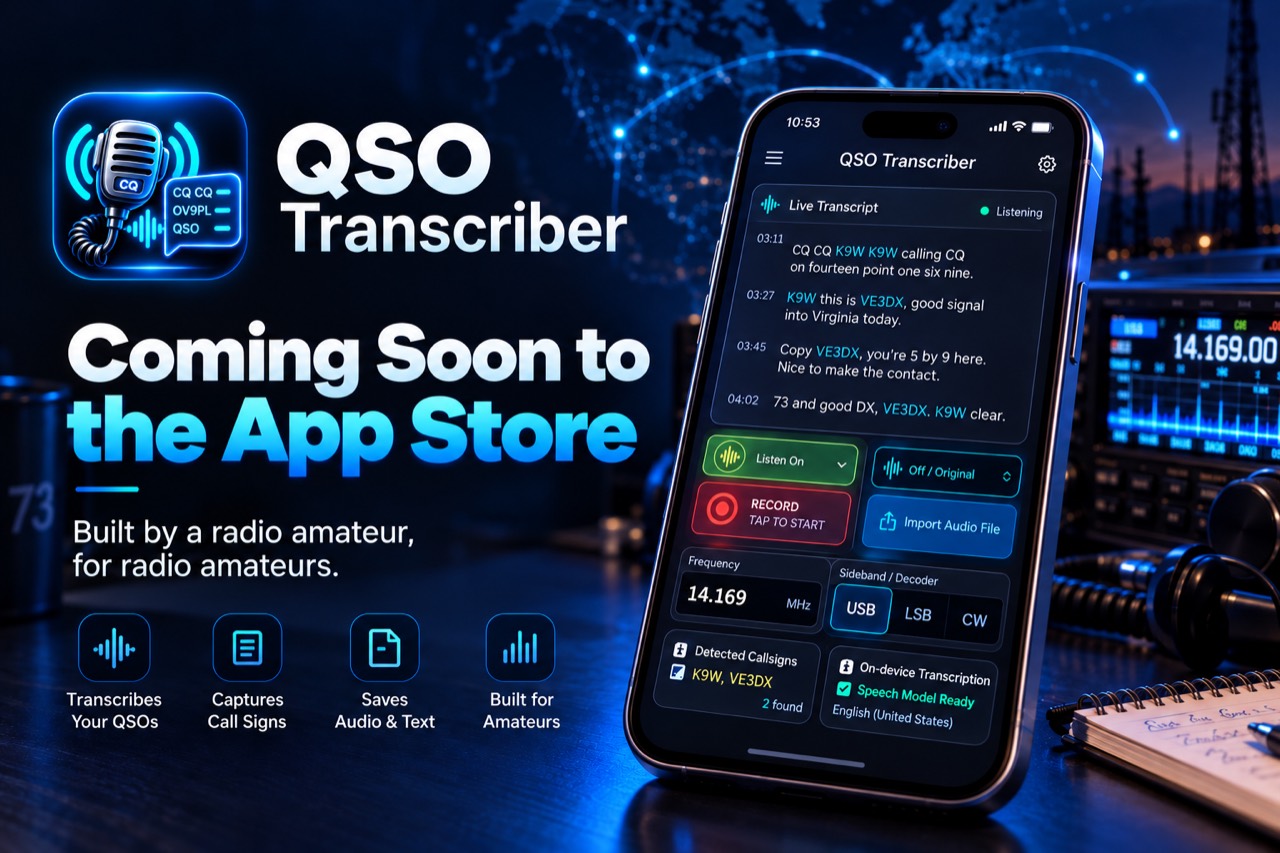
A listening assistant for amateur radio.
QSO Transcriber helps you follow received speech, catch important QSO details and listen again when something was difficult to hear. I’m Poul, OV9PL. I built it because I found it surprisingly difficult to listen, remember a callsign, operate the radio and take notes at the same time.
The app transcribes speech on your iPhone and uses local QSO analysis to suggest callsigns, signal reports, names and QTH details. You can check uncertain details against the original recording before deciding what belongs in the log.
Built for iPhone iOS 26+ On-device processing
On-device transcription
Original audio retained
Manual review of log fields
From one radio amateur to another
Why I built QSO Transcriber
When I started spending more time on HF, a QSO could become surprisingly busy. I was trying to understand the other operator, remember the callsign and signal report, write things down and operate the radio at the same time.
Sometimes that took attention away from the part I actually enjoy: the conversation.
QSO Transcriber grew from a simple idea: let the iPhone help with some of the listening and note-taking, while the operator remains in control. I hope it can help other radio amateurs who find a QSO difficult to follow, whatever the reason.
73, Poul · OV9PL
Follow the conversation
Received speech appears as text while the QSO is taking place, and you can follow the transcript during playback. The text supports your listening.
Catch important details
Local QSO analysis looks for callsigns, signal reports, names and QTH information, helping you return to details you may have missed.
Listen again
If a callsign or another detail is uncertain, you can check the transcript and listen again to the original recording.
Review before logging
Suggestions remain yours to check before they become part of the log. Corrections to log fields leave the original recording and raw transcript intact.
Listening, understanding and review
From received speech to a checked log
Follow the conversation, return to the details and decide what to log.
01 / AUDIO
Record or import audio
Record received speech while you follow the QSO, or import an existing recording to work through at your own pace. The original audio remains available for listening again.
MP3 · M4A · WAV · CAF
02 / TRANSCRIPTION
Transcribe and analyse
Read the received speech as text. Apple’s on-device speech recognition and local QSO analysis help you pick out callsigns, signal reports and other useful contact details.
Apple on-device speech
03 / LOGBOOK
Review and log
Return to uncertain passages, listen again and correct the suggested details before saving. Reviewed fields can be exported as ADIF, or kept with audio and text in a ZIP archive.
ADIF log · Audio & text ZIP
Inside the app
Follow the speech and check the details
The transcript and matching audio help you check what belongs in the log.
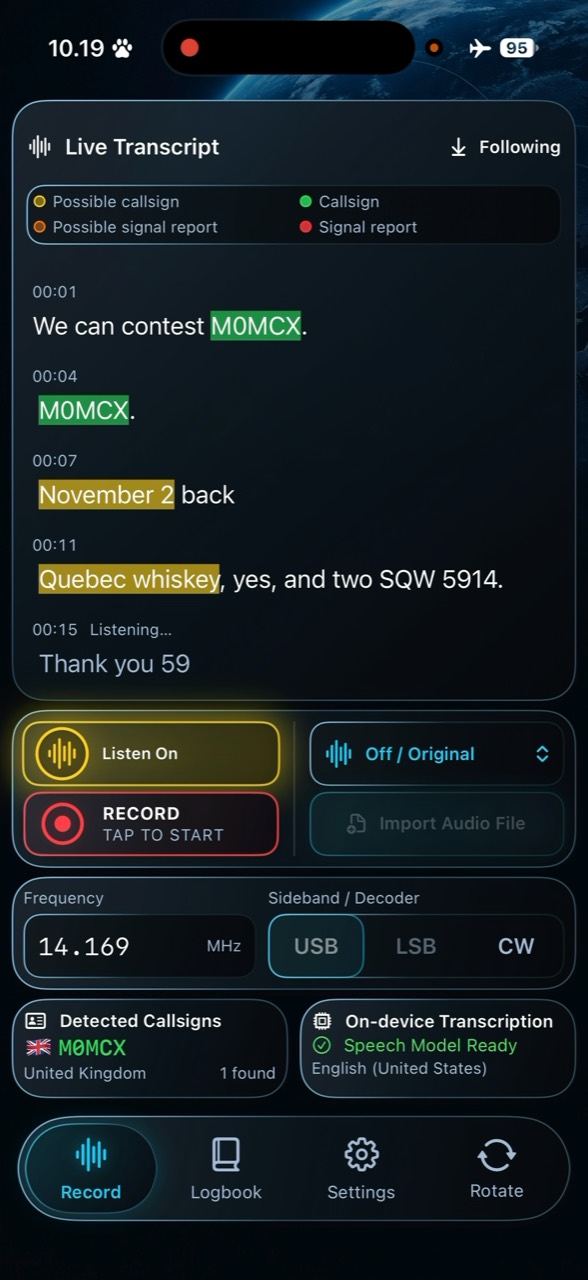
01 / TRANSCRIPTION
Follow the received speech
Read along while listening or during playback. Highlights help you spot possible callsigns and reports; timestamps help you return to a passage that was difficult to hear.
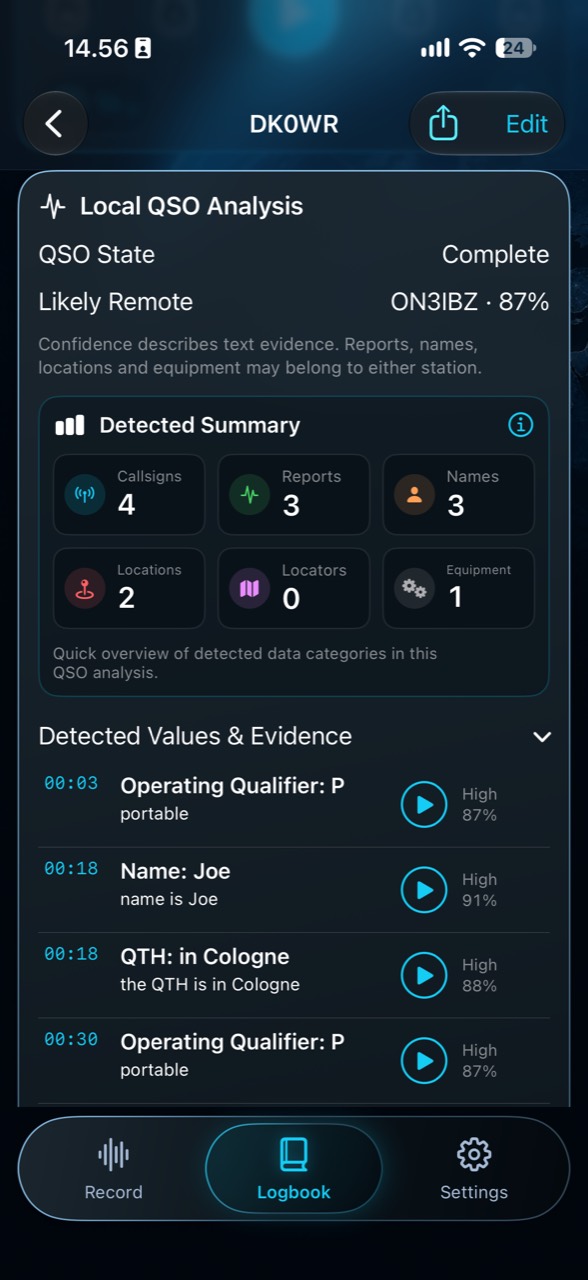
02 / LOCAL ANALYSIS
Find the details to check
Review suggested callsigns, reports, names and QTH details alongside their supporting passages. Confidence indicators help you assess the text evidence.
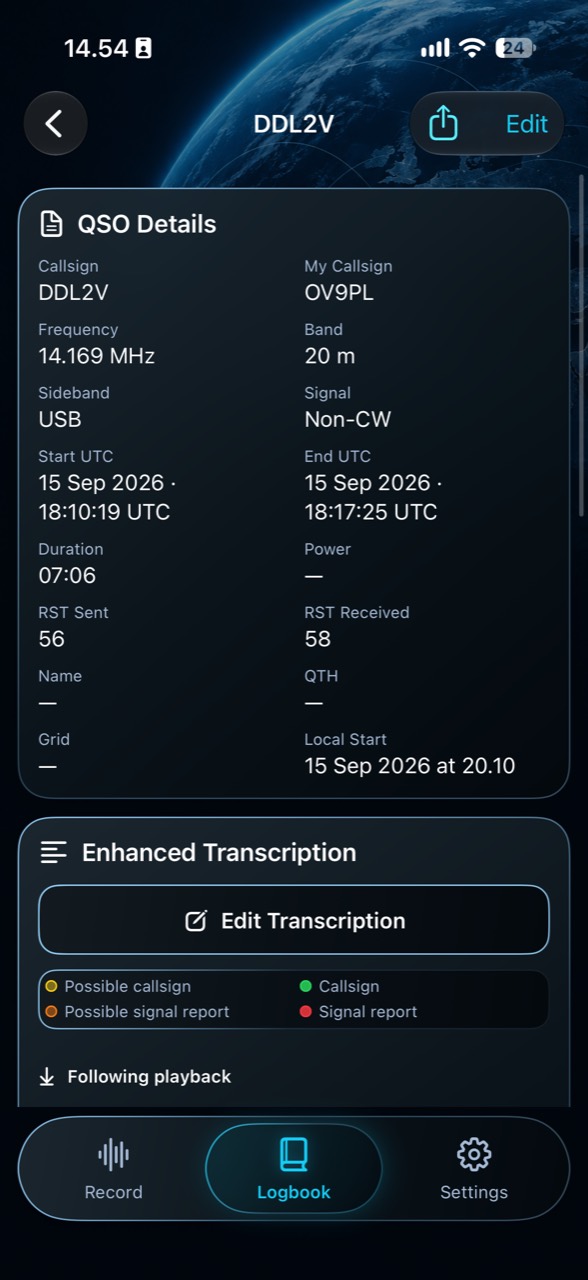
03 / QSO DETAILS
Keep control of the log
Check callsigns, frequency, band, mode, UTC times and sent and received reports before saving. You can reopen a saved QSO when a log field needs correcting.
04 / LOGBOOK
Return to the conversation
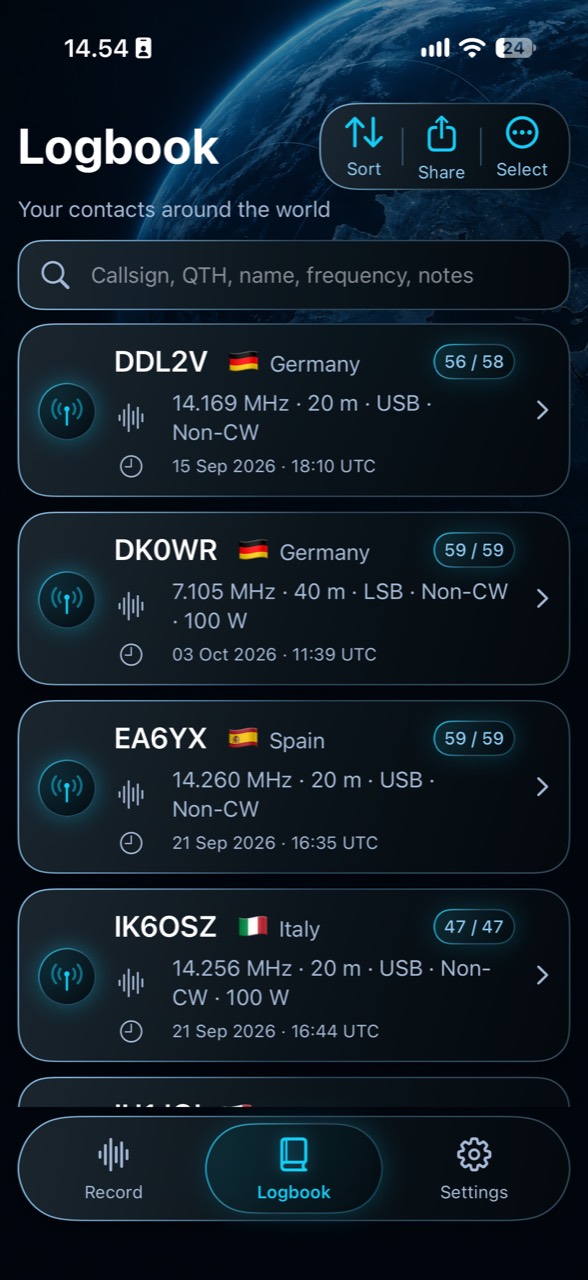
Search and sort contacts in the local logbook, with the recording and transcript alongside the log details. Revisit a memorable exchange or export reviewed fields as ADIF.
Original-audio review
Don’t just trust the transcript. Check it.
Detected QSO details are linked back to the source material where possible. If something looks uncertain, return to the matching transcript passage and listen to the corresponding part of the original recording before deciding what belongs in the log.
You can check what was actually said, even when a suggestion looks plausible.
How it works
Local QSO analysis
Ordinary speech recognition is not designed around amateur-radio exchanges. QSO Transcriber therefore analyses the transcript in the context of a radio contact, looking for patterns such as callsigns, phonetics, signal reports, names and QTH information.
The QSO Context Engine runs locally on the iPhone and produces suggestions for review. You decide what belongs in the log.
At your own pace
A little more room to enjoy the QSO
Different operators find different parts of a QSO difficult. It may be hearing, language, concentration, memory, nervousness, experience or simply trying to operate the radio and write things down at the same time.
QSO Transcriber is another tool that may make the conversation easier to follow. I hope it helps you give more attention to the operator at the other end.
Real-world radio
Real radio is difficult audio
HF speech includes QRM, QRN, QSB, accents, weak signals and alternative phonetics. These can cause transcription errors. That is why the original recording, text-evidence confidence indicators and audio review remain part of the workflow. Confidence does not verify a callsign.
Optional DeNoise may help speech transcription. It does not change the radio audio you hear or recover speech that was not audible in the recording.
Local processing
Audio and analysis on the iPhone
Speech recognition and QSO analysis run on your iPhone. The app does not send recordings or transcripts to a server for processing. You choose whether to export files and where to send them.
Apple speech models may need a separate download before on-device transcription is available.
Poul · OV9PL
Questions and feedback
I’d be glad to hear how the app fits your operating habits, or where it falls short. I hope it can be a useful contribution to the amateur-radio community.