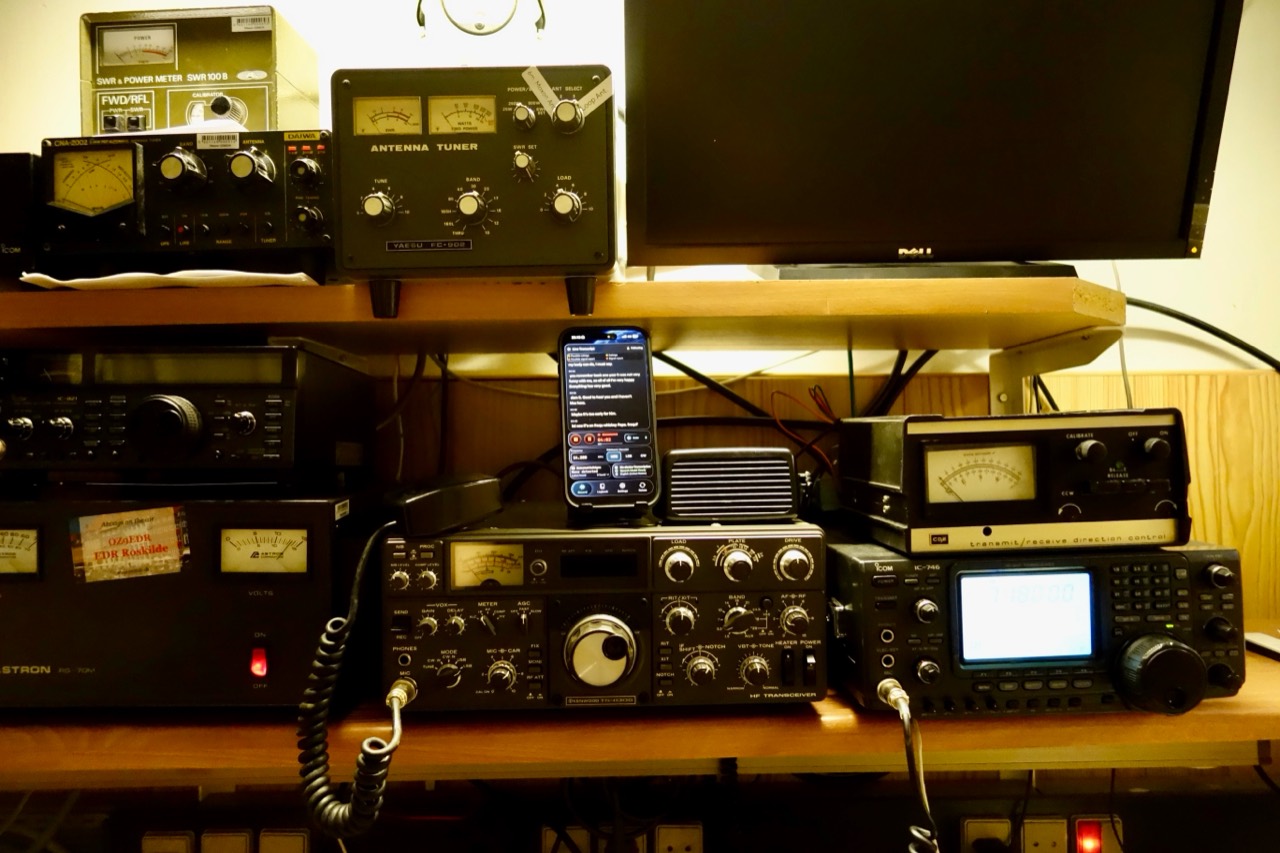
The Shack
Follow your voice QSOs with a live transcript.
Whether you’re chasing DX, testing an antenna or getting comfortable behind the microphone, QSO Transcriber helps you follow the exchange and check the details afterwards.
Why it helps
Follow DX and fast callsigns
A live transcript and QSO-aware suggestions can support your listening when an operator speaks quickly, uses an unfamiliar accent or fades in QSB. Verify every important character; readable text can still contain a wrong callsign.
Revisit and learn from a contact
Keep a recorded exchange and review phonetics, signal reports and conversational flow at your own pace. Timestamped transcript passages help you return to the original audio where timing is available, which can be useful when you’re new or hesitant behind the microphone.
Compare spoken reception reports
Save reports before and after an antenna or radio adjustment, then listen again to what each operator said. These are subjective spoken reports affected by conditions and the other station; they are not calibrated RF measurements.
Visual support with local processing
Read speech alongside the radio audio while the iPhone performs speech recognition and QSO analysis locally. Recordings and transcripts are not sent to a developer processing cloud. Apple speech models may need a separate download first.
How to use it
Ham Radio Recording on iPhone: a guide to keeping the original audio and checking the details.
- Let the iPhone hear the radio. Position it near the speaker with clear, undistorted audio, or import an existing MP3, M4A, WAV or CAF recording and choose Voice.
- Follow or analyze the exchange. For live audio, choose Listen for temporary text, or Record to keep the audio and transcript. Start Record before the exchange you want to preserve. For an imported recording, choose Analyze Audio and continue to review.
- Check the evidence. Review candidate callsigns and reports after the contact. Replay the original audio; where transcript timing is available, use a passage to return to that point. Correct important fields yourself.
- Save and export. Check frequency and band, mode and UTC times as appropriate. Save the contact, export reviewed fields as ADIF, or keep original audio and text together in a ZIP archive.
Practical questions
Does it control my transceiver?
No. There is no CAT or rig-control integration. Set the radio yourself and check frequency, band and mode in the contact details. The app supports your operating skills; you remain in control.
Can it replace a high-rate contest logger?
No. You can use recordings to review exchanges, but the app does not provide contest dupe checks, multiplier tracking, Cabrillo export or contest automation. Keep your established contest logger and procedures.
Does Audio Cleaning make every weak signal readable?
No. Optional DeNoise can help speech transcription, but it does not change the original radio audio you hear or reconstruct speech that was never audible. Imported recordings currently use Off / Original. Check callsigns, phonetics and signal reports manually.
Use QSO Transcriber on your iPhone
A companion to your listening and operating skills. Check important details against the original audio before you save or export.
Explore other ways to use QSO Transcriber.
Photo credits
The Shack preview on the homepage uses a photo by XE3ISS / Wikimedia Commons · CC BY-SA 4.0. Resized; no crop. No endorsement by the photographer is implied.
